• 01 — Foundations
Built to streamline work
Plan work
your way
Organize projects with flexible Workspaces, Work Items, and Views designed to match how your teams actually work. Use Table, Board, and Calendar Views to prioritize, track progress, and keep delivery moving while allowing everyone to work in a way that makes sense for them. As your needs evolve, Moventus can help you scale from simple execution to portfolio-level planning.

Board, Table, and Calendar Views
Manage work in the View that best fits how your team plans and executes.

Easy-to-use Templates
Standardize repeatable workflows so every project starts with the right structure.

Field Management
Create consistent, structured data that unifies information across projects, improves reporting, and drives better decision-making.
Keep every
conversation
connected to work
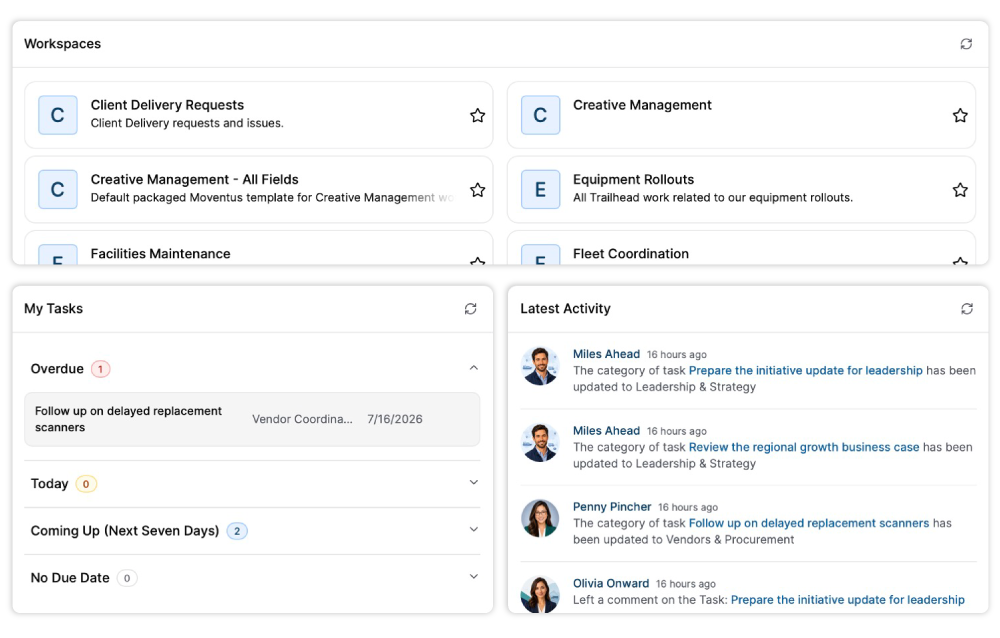
Collaborate directly inside Moventus with comments, @mentions, notifications, and shared Workspaces. Teams stay aligned because updates, ownership, and decisions stay tied to the Work Items that matter. No more searching across disconnected emails and chat conversations for updates on how work is progressing.

Comments and @Mentions
Keep conversations connected to work with contextual collaboration inside Work Items.

Notifications
Stay informed with real-time updates on assignments, status changes, and progress.

Activity Feeds
Quickly see what changed, who changed it, and what needs attention across all your work.
Gain insights to help
work
go faster
Bring easy-to-use reporting directly into your workflow with customizable Views and Widgets that surface the work, key metrics, opportunities, and risks that matter most. Roll up work across Workspaces, monitor progress in real time, and move from insight to action without leaving the platform.

View All Page
See work across all your Workspaces from a single, centralized reporting experience.

Custom Widgets
Build personalized dashboards with flexible Widgets tailored to your priorities.

Advanced Reporting PRO
Create deeper operational and financial reports across Workspaces, resources, and portfolios.
Align the right people
to the
right work
Balance everyone’s workloads, manage capacity, and adapt quickly as priorities shift. Moventus helps teams understand ownership, identify bottlenecks early, and make smarter staffing decisions with real-time workload visibility and advanced resource planning capabilities for long-term project staffing.

Workload Widgets
Understand who has too many assignments, who has extra capacity, and rebalance work before bottlenecks slow delivery.

Capacity Planning PRO
Plan resources confidently with visibility into future demand and team availability.

Smart Resource Assignments PRO
Align the right people to the right work based on their skills, availability, and workloads.
Plan smarter across
every project
For teams ready for more advanced project management, Moventus Pro connects Workspaces into strategic portfolios so that you can forecast demand, model scenarios, manage dependencies, and financial performance of your projects in one place. With roadmap planning and real-time portfolio visibility, leaders can make informed decisions and plan for the future with confidence.

Roadmaps PRO
Visualize long-term plans, dependencies, and priorities across your portfolio. Create "what-if" scenarios to see how changes to your plans could impact delivery.

Project Financials PRO
Track budgets, forecasts, and project costs with crystal clear visibility to keep spending under control.

Gantt View PRO
Manage your timelines and dependencies with a connected, dynamic schedule.
• 07 — Reporting
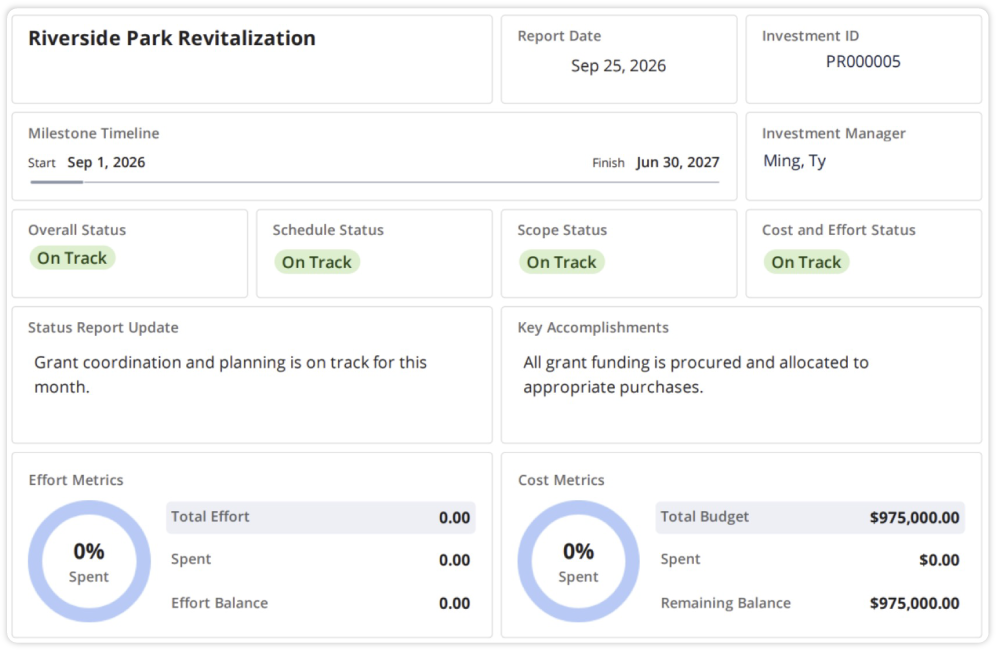
Status report (Pro)
Governance built for
the way
teams work
Moventus gives Admins the control they need without slowing teams down. Manage permissions, standardize data, and align with your existing security requirements through SSO and 2FA support. Moventus was built to help you maintain visibility and governance.

Role-Based Permissions
Control access with flexible permissions designed for secure collaboration.

SSO and 2FA
Configure Moventus to align with your organization's existing authentication and security standards.

Standardized Fields
Improve reporting consistency with admin controlled fields.